
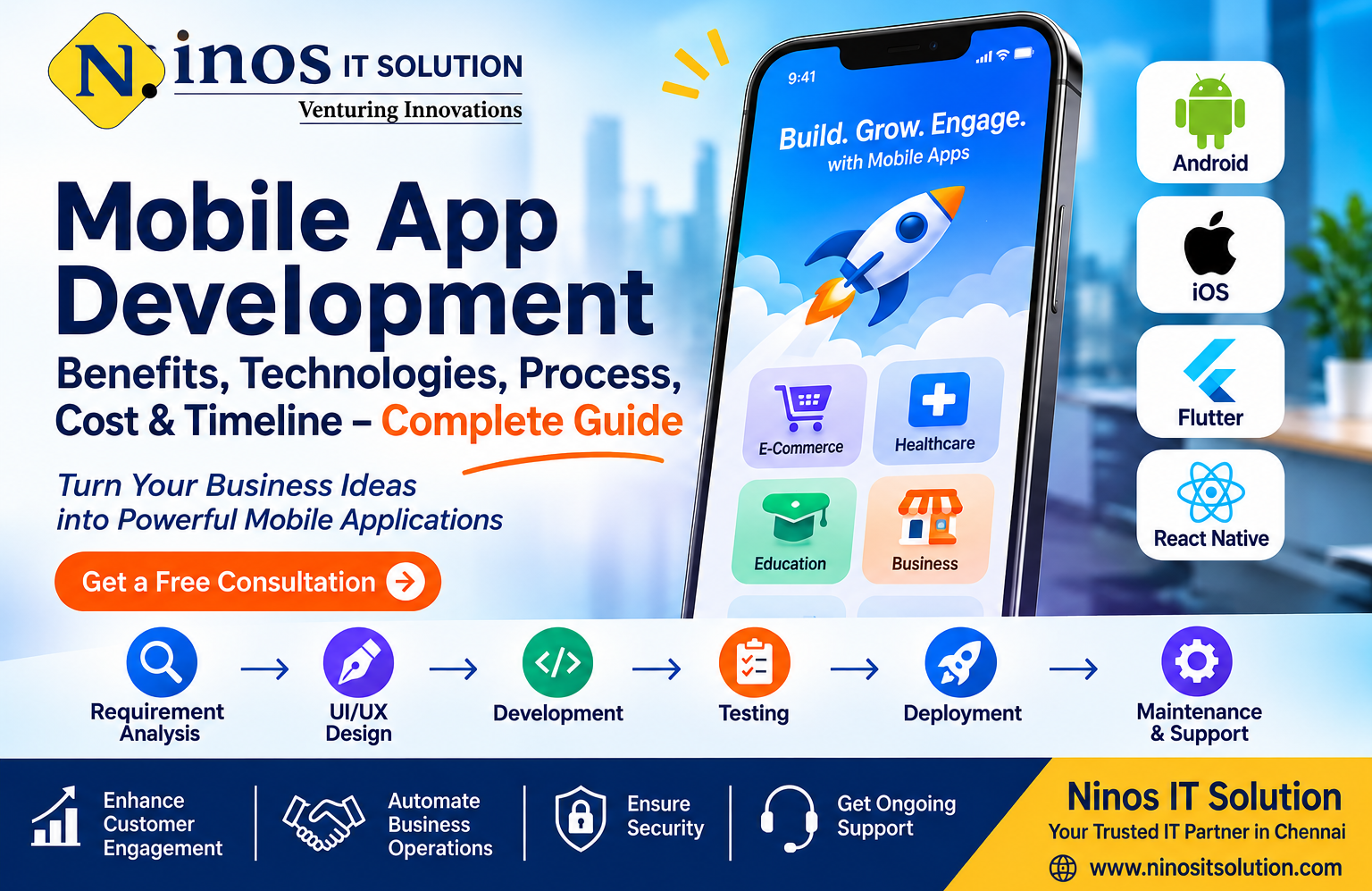
Mobile applications have become an important part of modern business operations. From online shopping and food delivery to healthcare, education and financial services, businesses use mobile apps to connect with customers, improve services and simplify everyday activities.
A well-developed mobile application can help businesses improve customer engagement, automate operations, manage information and create better digital experiences.
However, developing a successful mobile application involves more than just designing screens and writing code. It requires proper planning, technology selection, user experience design, development, testing, security and ongoing maintenance.
In this guide, we explore the major business benefits of mobile applications, the differences between Android, iOS and cross-platform development, the development process, estimated timelines, security considerations and post-launch support.
Businesses often face challenges when managing customer communication, service requests, payments, bookings and daily operations. A custom mobile application can help address many of these challenges.
A mobile application provides customers with a convenient way to access business services. Features such as personalized notifications, customer accounts, order tracking and in-app communication help businesses maintain better customer relationships.
Manual business activities can consume valuable time and resources. Mobile applications can automate several tasks, including appointment scheduling, order management, employee attendance, inventory tracking and service requests.
Payment gateway integration allows customers to complete transactions directly through an application. Businesses can support suitable payment methods while providing a convenient checkout experience.
Customers can access products, services and important information without repeatedly contacting customer support. A simple interface and smooth navigation make digital interactions easier.
Mobile applications connected to secure backend systems can help businesses manage customer details, transactions, reports and operational information from a centralized platform.
A mobile application can help businesses reach customers through digital channels, introduce new services and support business growth.
Example: A retail business can use a mobile app to display products, accept orders, process payments and provide delivery updates through a single platform.
Selecting the right mobile app development technology is an important decision. The ideal choice depends on your target audience, project requirements, budget, features and long-term business plans.
Android applications are developed primarily using Kotlin or Java.
Android is suitable for businesses that want to reach users across a wide range of Android smartphones and devices.
Key benefits:
Access to the Android ecosystem.
Flexible application development.
Integration with Google services.
Support for a wide range of device types.
Suitable for consumer and enterprise applications.
iOS applications are developed primarily using Swift.
Businesses targeting Apple device users can benefit from native iOS development.
Key benefits:
Native Apple ecosystem integration.
Consistent user experience.
Access to Apple platform capabilities.
Strong development tools and frameworks.
Suitable for premium consumer and business applications.
Flutter is Google's open-source UI framework for building applications across multiple platforms using Dart.
It allows developers to build Android and iOS applications from a shared codebase for many common use cases.
Key benefits:
Shared application codebase.
Consistent user interface.
Faster development for suitable projects.
Customizable UI components.
Support for multiple platforms.
React Native is a framework that uses JavaScript or TypeScript and React concepts to build cross-platform mobile applications.
It is useful for businesses that want to develop applications for Android and iOS while sharing much of the application code.
Key benefits:
Shared code across platforms.
Reusable components.
JavaScript and TypeScript ecosystem.
Integration with native platform capabilities.
Suitable for many business applications.
| Technology | Language | Best suited for |
|---|---|---|
| Android Native | Kotlin / Java | Android-focused applications |
| iOS Native | Swift | Apple-focused applications |
| Flutter | Dart | Cross-platform applications |
| React Native | JavaScript / TypeScript | Cross-platform applications |
There is no single technology that is best for every business.
Choose Android Native if your application primarily targets Android devices or requires specific native Android capabilities.
Choose iOS Native if your business primarily targets Apple users or needs deep integration with Apple technologies.
Choose Flutter if you want a shared codebase and consistent interface across Android and iOS.
Choose React Native if your team or project benefits from the React and JavaScript ecosystem.
The final technology selection should be based on application requirements, performance expectations, integration needs and maintenance plans.
Professional mobile app development follows a structured process to ensure that the application meets business requirements and user expectations.
The development team understands the business model, target audience, application objectives and required features.
Activities include:
Understanding business requirements.
Identifying target users.
Reviewing competitor applications.
Defining core features.
Preparing project scope.
The design team creates application layouts and user journeys that make the application easy to understand and use.
Activities include:
Wireframe creation.
User flow planning.
Interface design.
Interactive prototypes.
Usability considerations.
The development team selects the appropriate framework, programming languages, database, hosting environment and third-party integrations.
Developers build the frontend, backend, APIs and database connections.
Development may include:
User registration and login.
Dashboard development.
Product or service management.
Payment gateway integration.
Push notifications.
Admin panel development.
API integration.
The application is tested to identify functional, usability, security and compatibility issues.
Testing activities include:
Functional testing.
UI testing.
Device compatibility testing.
API testing.
Performance testing.
Security testing.
User acceptance testing.
After testing and approval, the application is prepared for release.
Deployment activities include:
Google Play submission.
Apple App Store submission.
Application configuration.
Production environment setup.
Release verification.
App store approval depends on each platform's review requirements and is not guaranteed by the development team.
After launch, the application requires regular monitoring, bug fixes, compatibility updates, security improvements and feature enhancements.
The development timeline depends on application complexity, features, integrations, design requirements and testing scope.
The following table provides indicative planning estimates, not guaranteed delivery commitments.
| Project Type | Estimated Timeline |
|---|---|
| Basic Business App | 4–8 weeks |
| Medium Complexity App | 8–12 weeks |
| E-commerce App | 10–16 weeks |
| On-Demand Service App | 12–20 weeks |
| Complex Enterprise App | 16–24+ weeks |
Application Features: Applications with advanced functionality require additional development and testing.
UI/UX Complexity: Custom animations, dashboards and complex user journeys can increase design and development time.
Third-Party Integrations: Payment gateways, maps, CRM systems and external APIs may require additional integration work.
Backend Development: Applications that require complex databases, admin panels and server-side processing need additional implementation.
Testing Requirements: Device compatibility, performance and security testing influence the overall project schedule.
A detailed timeline should be prepared after requirement analysis and technical planning.
Application security is essential because mobile applications may handle personal information, account credentials, payment details and business data.
A secure development approach helps reduce risks and protect user information.
Secure Authentication: Implement appropriate login mechanisms, secure password handling and multi-factor authentication where required.
Data Encryption: Use HTTPS/TLS for network communication and appropriate encryption for sensitive stored data.
Secure API Development: Protect backend APIs using authentication, authorization, input validation and rate limiting.
Access Control: Ensure users can access only the information and functions permitted by their roles.
Secure Payment Integration: Use trusted payment gateway providers and follow applicable payment security requirements. Avoid storing sensitive card details unnecessarily.
Regular Security Testing: Conduct vulnerability assessments and address security issues before and after deployment.
An API (Application Programming Interface) allows a mobile application to communicate with external services or backend systems.
Common API integrations include:
Payment gateways.
Google Maps and location services.
CRM platforms.
ERP systems.
SMS and email services.
Cloud storage.
Authentication services.
Third-party business applications.
Example: An e-commerce application can use APIs to display product information, process orders, receive payment confirmations and update delivery status.
Different industries require different mobile application features. The following are illustrative project scenarios that demonstrate how businesses can use custom applications.
An online retail business can use a mobile application to manage its digital shopping experience.
Possible features:
Product catalogue.
Product search and filters.
Shopping cart.
Online payments.
Order tracking.
Customer accounts.
Push notifications.
A healthcare provider can use a mobile application to simplify patient interactions.
Possible features:
Doctor appointment booking.
Patient registration.
Appointment reminders.
Consultation scheduling.
Medical record access with appropriate authorization.
Secure communication.
An educational institution can use a mobile app to provide students with learning resources.
Possible features:
Student login.
Course catalogue.
Video lessons.
Online assessments.
Attendance tracking.
Learning progress reports.
A service-based business can use an application to connect customers with service providers.
Possible features:
Service booking.
Location tracking.
Provider assignment.
Booking status updates.
Payment integration.
Customer feedback.
Note: These are illustrative use cases, not claims of completed Ninos IT Solution projects. Publish actual project screenshots and case studies only when verified and authorized.
Launching an application is not the end of the development process. Regular maintenance helps ensure that the application continues to work correctly as operating systems, devices, security requirements and business needs change.
Corrective Maintenance: Fixing bugs and unexpected application errors.
Adaptive Maintenance: Updating applications to remain compatible with new operating system versions and devices.
Preventive Maintenance: Monitoring application health and addressing potential issues before they become serious.
Perfective Maintenance: Improving features, usability and application performance based on user feedback.
Bug fixing.
Security updates.
Performance monitoring.
API maintenance.
Database maintenance.
Operating system compatibility.
App store version updates.
Feature enhancements.
Technical support.
Businesses should discuss maintenance scope, response times, support responsibilities and service costs before project completion.
Mobile app development cost depends on application complexity, design, features, technology, integrations and testing requirements. A basic application generally costs less than an enterprise application with advanced functionality. A detailed quotation should be prepared after requirement analysis.
A basic application may take approximately 4–8 weeks, while medium-complexity applications may take 8–12 weeks. Large applications may require several months depending on their scope.
The right option depends on your target audience, business model and platform requirements. Businesses targeting both platforms may consider Flutter or React Native.
Yes. Flutter is suitable for many business applications that require a consistent interface and shared codebase across multiple platforms. The suitability depends on the project's technical requirements.
Yes. A mobile application can communicate with an existing website or backend through APIs, depending on the website's architecture and integration capabilities.
Yes. Payment gateway integration allows customers to make transactions through supported payment providers. The implementation must follow the provider's technical and security requirements.
Yes. Regular maintenance helps address bugs, security vulnerabilities, compatibility issues and changing business requirements.
Yes. Applications can be developed separately using native technologies or together using cross-platform frameworks such as Flutter and React Native.
An admin panel is useful when a business needs to manage users, products, bookings, orders, reports and application content. The requirement depends on the application.
Evaluate the company's technical expertise, development process, portfolio, communication, security practices, project management and post-launch support before making a decision.
Mobile applications can help businesses improve customer engagement, simplify operations and deliver convenient digital services. However, building a successful application requires the right technology, careful planning, user-focused design, reliable development and continuous maintenance.
Whether you need an Android application, iOS application or cross-platform solution, choosing an experienced development partner can help turn your business requirements into a practical digital product.
Ninos IT Solution provides IT and digital development services, including mobile application development. Businesses planning a new mobile application can discuss their requirements, preferred platforms, features and project objectives with the development team.
Ready to Build Your Mobile Application?
Contact Ninos IT Solution to discuss your mobile app requirements and explore a suitable development approach for your business.
Website: https://www.ninositsolution.com/
Link relevant sections to the following Ninos IT Solution service pages:
13 November 2026
12 November 2026

3 October 2026
30 September 2026
28 September 2026
Know more about our processes and how we work, with the help of the following FAQs.



D-U-N-S Number : 860501484
Privacy Policy Terms of Service
© 2023 ALL RIGHTS RESERVED. DESIGNED BY NINOS IT SOLUTION DEVELOPED BY ECPHASIS INFOTECH